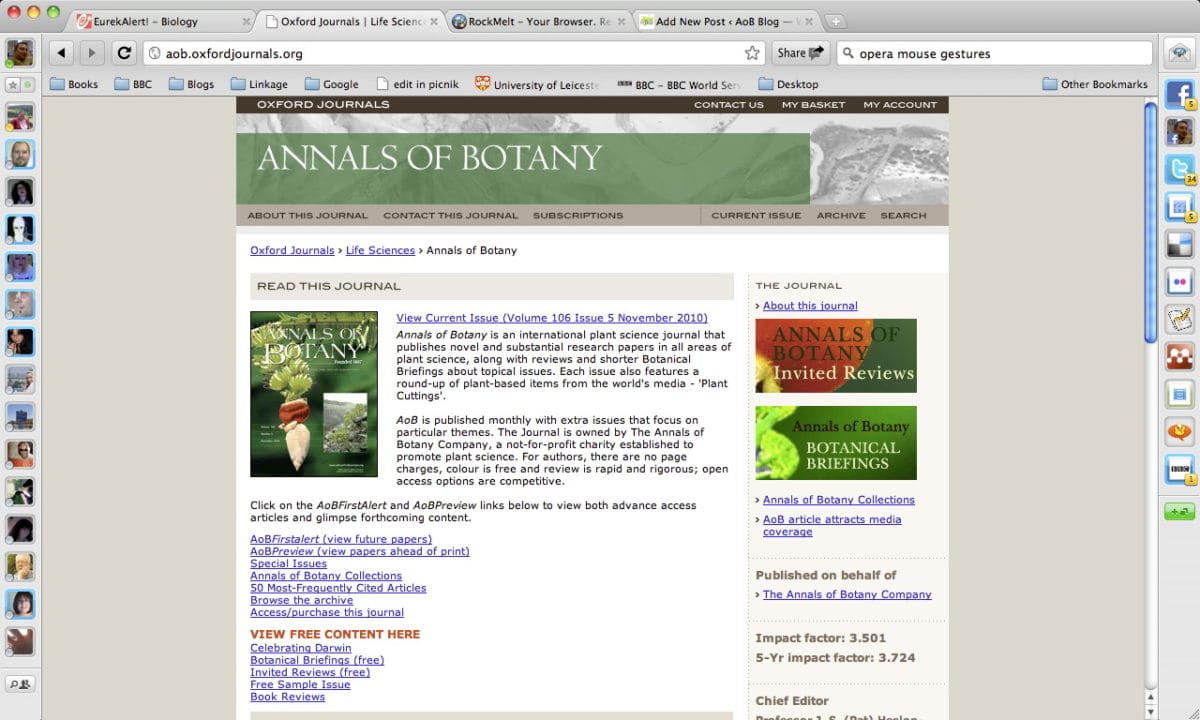


I use different browsers for different things. My online banking is through Safari. My work is increasingly on Chrome, though I also use Camino for AoBBlog. Opera is the browser I use for home, but not for Facebook, where I use Firefox or Safari. If pushed I could come up with some sort of justification for choices. The mouse gestures in Opera for example are very useful if you’re just skimming stuff. On the whole it’s simply a matter of which browser gets in the way less between me and the website I’m using. RockMelt changes this. It’s a web browser that makes a virtue of getting in the way.
In simple terms RockMelt is like Chrome but with added integration to Facebook and to a lesser extent with Twitter. The video pitching the browser is similar to the way Apple pitches their lifestyle applications. Something designed for cool, hip people who aren’t me.
RockMelt Promo Video
Despite that RockMelt is potentially a powerful tool.
The best and worst parts of RockMelt are the Facebook integration. You’ll need a Facebook account to use it. That immediately rules out a few of my friends who don’t trust Facebook’s privacy settings. It’s hard to see how you’d use RockMelt without Facebook because the integration is so tight. When you use the browser, you’re connected in the background to Facebook at all times.

Down the left side bar are all your friends. You have two choices. You can star people so you just have the friends you like.* Or you can have friends in order of their last login to Facebook. What I don’t see is any support for lists. This is a problem.
The way I use Facebook is dependent on lists. I connect with people on a professional basis on Facebook and I have a list of people I actually know on Facebook. If I’m using Facebook to catch up with friends videos where they’re snowboarding in Aspen (if you’re the target demographic for Apple) or seeing who’s had their car broken into (much more likely for my friends) I don’t want the world to know I’m online. I’m at home not work.
This is an issue because, privacy concerns aside, the way RockMelt ties to Facebook is rather good. While browsing the news last night a friend (who I don’t mind contacting me) saw I was online and opened his chat window in Facebook. The view at my end was a pop-up window. I could achieve almost the same effect by opening Facebook in a browser window and leaving it in the background. The drawback with that is that I’d only have an audio alert that I might miss. The pop-up would be behind the active window. If you could distinguish between work and play times this could be a powerful tool.
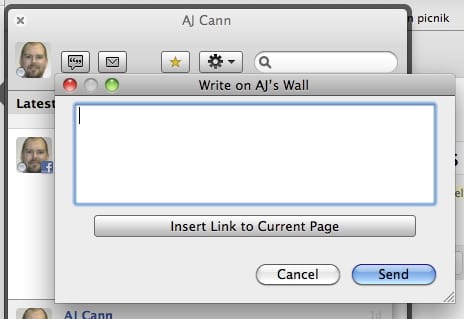
You can also write to walls from the browser without opening Facebook, send private messages and share to your own wall using the share button next to the address bar. This is all one click. No cmd+c, change website and then cmd+v to share a page. You can share pages on Twitter with similar ease.
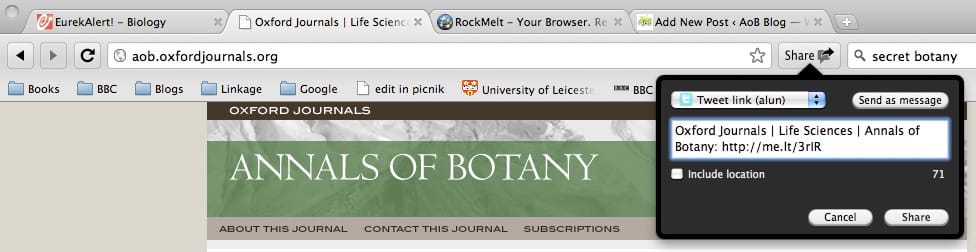
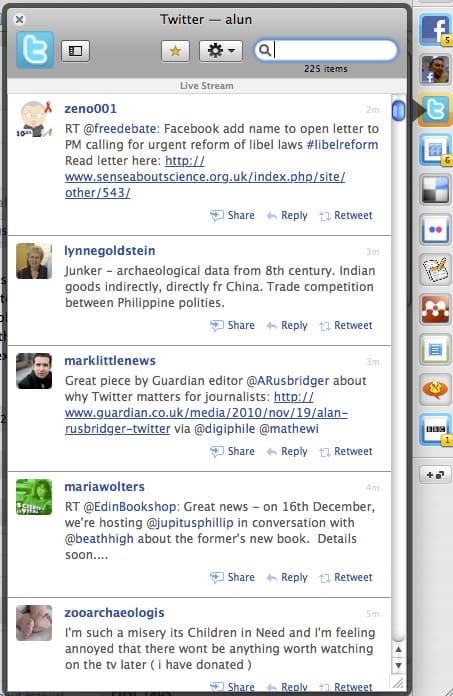
Twitter isn’t quite so tightly integrated though. On the right of the bar there are various icons. Initially you have just three. Facebook, your profile on Facebook and Twitter. You can share (to Facebook) reply and retweet. What you can’t do is easily click to go to the original tweet or follow back @replies to see who they’re replying to or follow the conversation. Give that it embeds things like YouTube videos, it seems a bit of an oversight, but hopefully that can be added in the next update.
As far as it goes that’s the limit for social integration. Hopefully more services can be added but it looks like RockMelt decided to get out a working browser and improve it rather than wait indefinitely for a perfect browser. Despite this there is room for customizing the browser.
The most obvious omission is Delicious. I’m happy for someone to correct me, but I think most browsers still handle bookmarks the way they did in 1997. Delicious would be an excellent way of making bookmarks portable and searchable. RockMelt is based on Chromium, the same engine as Chrome and seems compatible to a large extent with Chrome extensions. Installing the Chrome extension for Delicious adds a Delicious icon to your browser on the edge (the name for the right side column) and allows you to bookmark in one click.
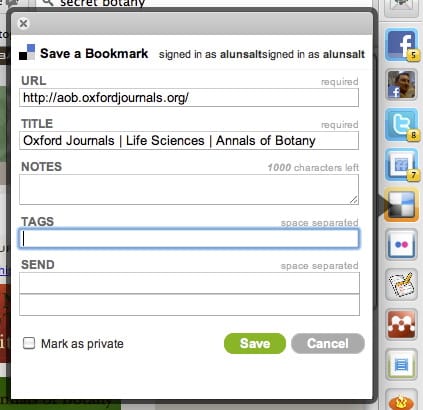
The other half of integration would be being able to search your bookmarks from the browser. RockMelt, like Chrome doesn’t just use the address bar for URLs, you can also use it to search. The default for me is Google UK. Right-clicking on the bar brings up the option to edit search engines. Adding the code below (replace username with your Delicious username) adds Delicious as a search engine to the bar.
http://www.delicious.com/search?p=%s&chk=&context=userposts%7Cusername%7C&fr=del_icio_us&lc=1
I found Google kept taking back the default engine role, so I had to delete it from the options to make Delicious stick, but once I did typing a search into the address bar brought up Delicious results.
There is a second search bar. I’m not sure why. The search bar on the right produces results as a dropdown menu. These results are also from Google, so I don’t know why I’d need two options for searching. The second bar is not as helpful because clicking multiple results changes the address of just one tab. Right clicking and selecting ‘open in new tab’ has no effect, it still just changes the address of a single tab. A more helpful default option for me would be clicking on a search result would be to open the result in a new foreground tab. It’s an option for links from the edges, so it wouldn’t be peculiar to offer the same for search results.
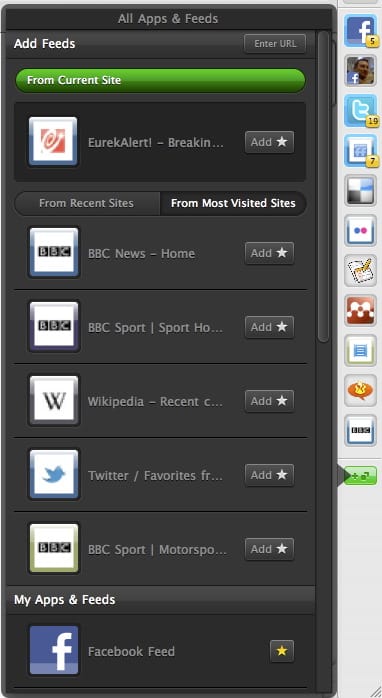
The edge is also where RSS feeds go. RockMelt doesn’t integrate with Friendfeed at the moment, but I can add it as an option by clicking on the button at the bottom of the edge. This signs me up to the RSS feed and I at least get notifications when new entries are added to Friendfeed.
There is no Flickr integration. Nor is there an easy feed to sign up to for following your news on Flickr. The best I’ve been able to do is sign up to the My Contacts RSS feed. That gives me large versions of recently uploaded photos by contacts, but no news on comments or even easy links through to the original photo pages.
On the plus side there are some sites that RSS updates do work well on. You can get periodic updates on your favorite tag from CiteULike. You could also install updates from Eurekalert or the BBC. It doesn’t work well if you follow large numbers of sites though, and so far there’s no Google Reader integration. The Mendeley extension is slow, but I can’t tell if that’s the browser, extension or website that causes the delay. RockMelt has trouble with some extensions. While writing this the Google Docs extension stopped working.
It’s not all good.. Oddly, I can’t embed YouTube videos with WordPress in RockMelt. This is a problem I have with Firefox too, but strangely not with Chrome. It could be a fault in RockMelt, or in WordPress.
RockMelt is not the first social browser, and plenty of these features can be found in Flock. However, I’ve not used Flock for a while as it felt the extra features made the browser slower. This might not be true for Flock 3, but I’m Mac-based so Flock 3 is not an option. It will be in the future, but on the internet there’ll always be something better in three months. For now on Mac if you want integration with social tools RockMelt is an attractive alternative to loading your browser with bookmarklets and extensions.
If future iterations can add more choice of which social networks you use or don’t use then RockMelt could be valuable to researchers. In many ways it compliments the Zotero idea of putting tools next to where you’re working. Unfortunately because it’s a Chromium browser it’s incompatible with Zotero until Zotero Everywhere goes live. If you like Chrome it’s definitely worth a go. If you’ve tried Chrome and not been so impressed then RockMelt is unlikely to win you over unless you’re a Facebook addict. For now it’s interesting enough that I’ll be using it for a while to see if it makes much difference to me in the long-term.
* Thanks Facebook for introducing me to the concept of friends I don’t like.